
Design Planning Guide
Before you get started
What area of your home do you want to organize? Do you have a dedicated room or are you going to use part of another room? OrganizedSpace has style and color choices to match or blend with any décor.
How much space do you have available? Whether you have a large space to fill or just a corner to tuck in a few cabinets, OrganizedSpace has whatever you need. And remember, Design to Fit cabinets can be sized however you wish to fit your space like a glove.
What are you going to use your new space for? Will your new organized space be used daily, or just occasionally as needed? OrganizedSpace offers cabinet types and options to satisfy almost any need.
Do you have special accessibility or size requirements? Are “standard” heights good for you, or do you need something that will fit you? No matter what you body type or special requirements, Design to Fit cabinets can be adjusted to fit your needs.
Start planning your design
- Spend time on this website to get a thorough understanding of the options available to you. Cabinet choices, styles and colors to create whatever you want.
- Take careful measurements (in inches) of the space available. You’ll need this information later in the design tool.
- Don’t forget doors and windows. If you want floor to ceiling cabinets, measure that height also. Note the direction any door swings so it won’t interfere with your cabinets.
- Don’t forget about wall outlets, light switches and heating vents. Make sure your cabinets don’t cover them.
- Download our handy Planning Guide and use it to write everything down. The guide also includes information on using the Online Design Tool
- Use the grid page in the Planning Guide to sketch your layout ideas so you can refer to them when you use the Online Design tool.
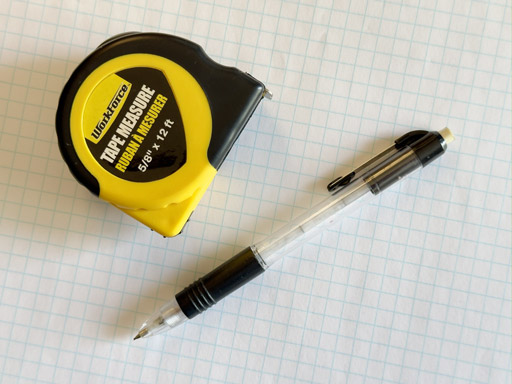
Items you’ll need to get started:
- The Planning Guide
- Pencil and eraser
- Paper or notebook
- Tape measure
- Graph paper (or use the grid in Planning Guide)
Using the Online Design Tool
Online Design Tool Window
Basic window shown below. More details in the Planning Guide
Tools to design and customize your project… cabinet choices, styles, colors, cabinet dimensions and more.

Your name, project name, save and access projects.
Note: The Online Design Tool requires a laptop or desktop computer to use.
Click any START YOUR DESIGN button and you will be forwarded to the Design Center page. You’ll be required to enter your name, email and phone number. This will enable you to return to your design at any time. This also allows us to email you a copy of your design and an itemized quote. You are not committed to anything until you are ready and place your order.
On the Design Center page you will be presented with a variety of basic cabinet configurations—straight, corner and others— from which to choose. This will just be your starting point.
After making your selection you will be forwarded to the Online Design Tool. The cabinet configuration you selected will appear the design window of the Online Design Tool where you can modify it however you wish… style, color, change or add cabinets and more.
While the design tool is easy to use, the wide variety of options may be confusing at first. Below is the basic layout of the design window you will be working in. More detailed information is included in the Planning Guide.